






In this guide, we will show you step by step how to replace the charging socket or charging socket cover on your VMAX e-scooter VX2 PRO yourself.
Tools required
- Phillips screwdriver
- 16 mm open-end wrench
- Optional: spray adhesive or hot glue
Instructions
Remove the rubber mat and loosen the maintenance flap
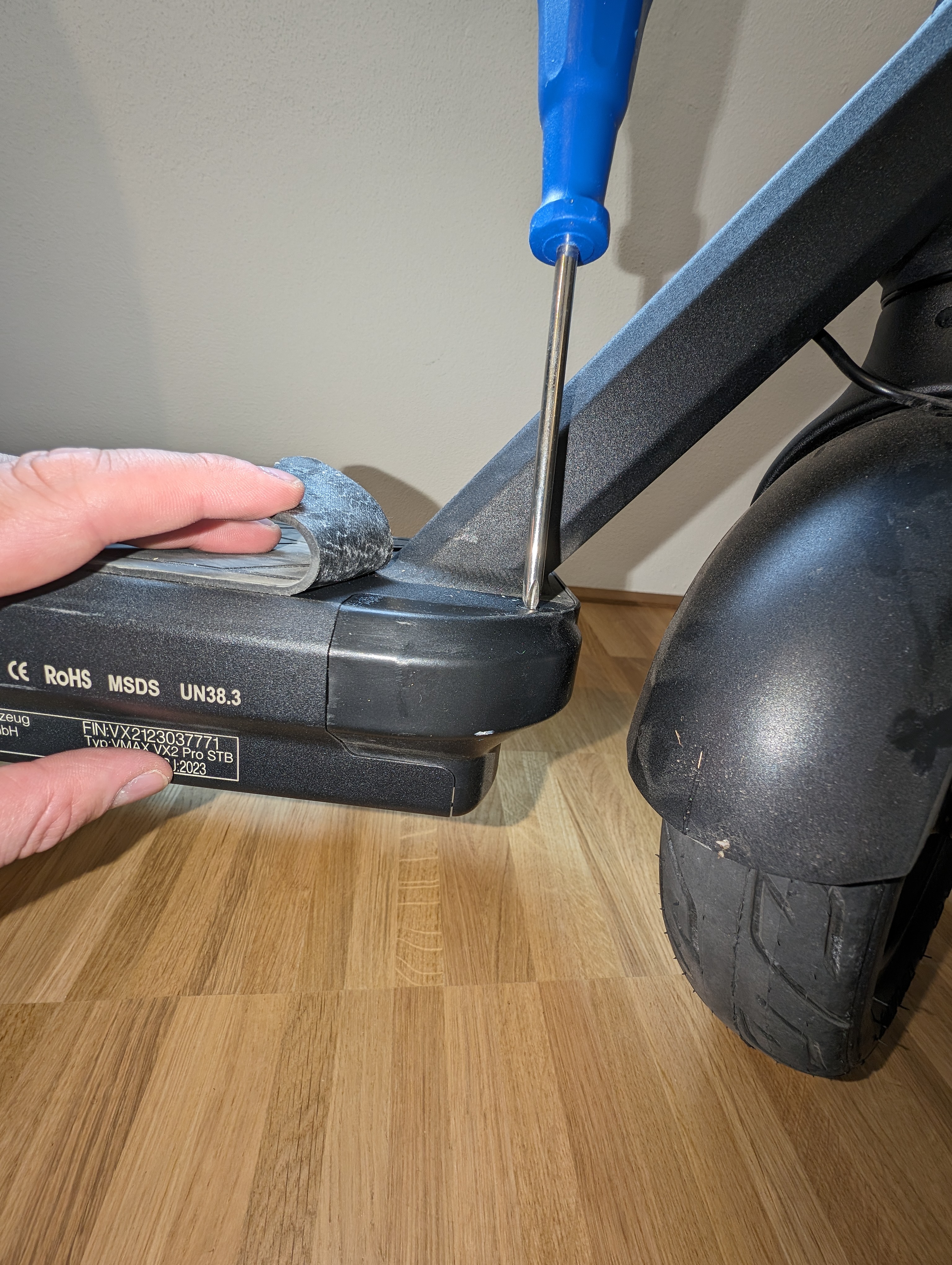
The charging socket is installed in the maintenance flap at the front of your scooter. Therefore, first remove the rubber mat at the front of your scooter and then loosen the four screws of the maintenance flap.
The screws are located two at the top and two at the bottom of the footboard.
Pull off the maintenance cover and loosen the plug connection
Then carefully pull off the maintenance cover and disconnect the plug connection between the charging socket and the battery.
Remove the charging socket
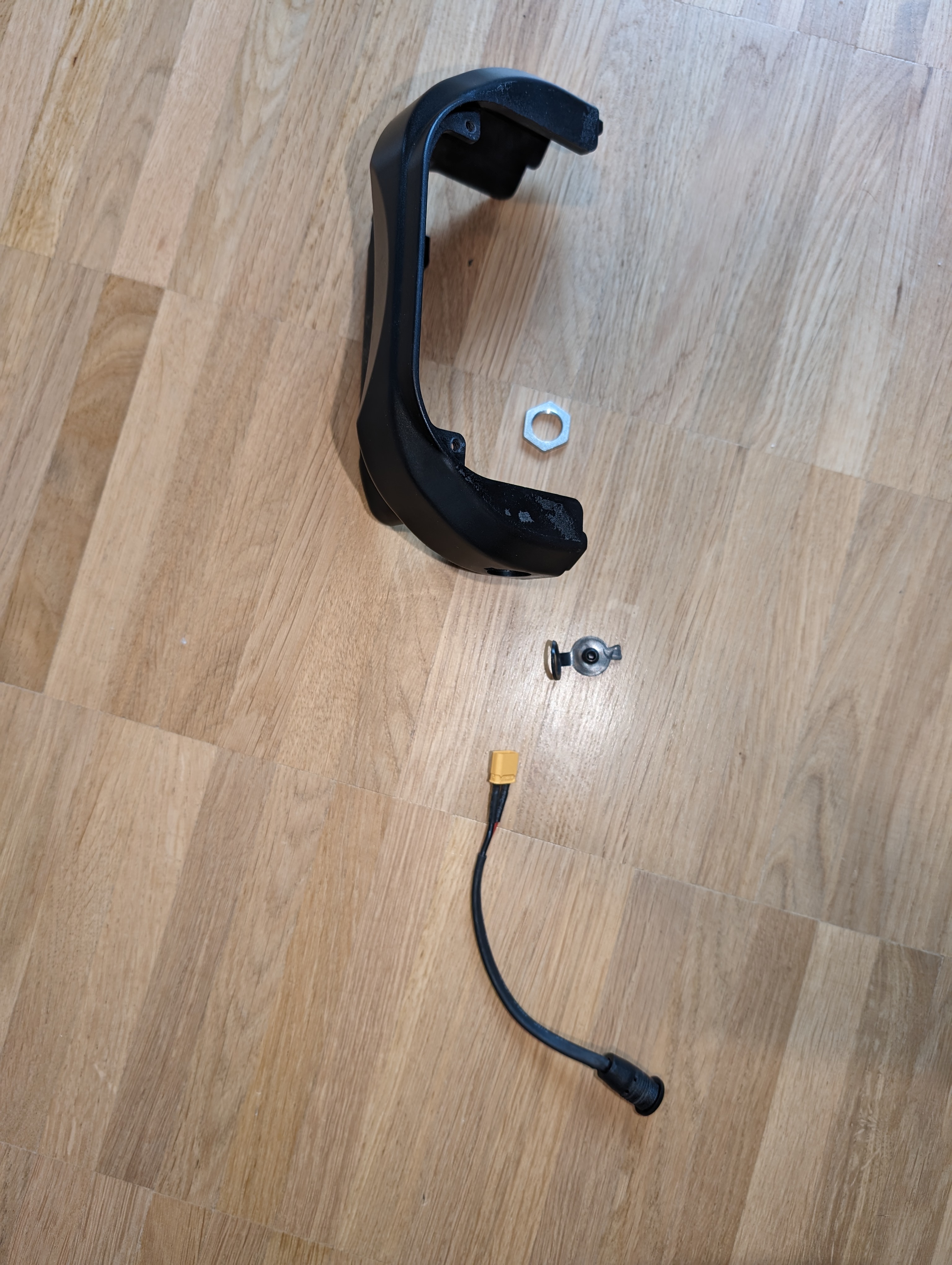
You can then loosen the lock nut on the charging socket and remove the charging socket from the maintenance cover.
Insert new parts
Now replace the required parts and reinsert the new charging socket or the new charging socket cover correctly.
Refitting the maintenance flap
As soon as you have replaced the required parts, you can refit the maintenance cover.
As a rule, the rubber mat will continue to stick well to your scooter. If you want to help here, use some spray adhesive or hot glue. Be careful not to glue the screws.
Check the result
After assembly, check that the charging socket is firmly seated, the cover closes properly and the plug connection is correctly connected. Also check that the maintenance flap is properly in place and that the rubber mat is securely attached again.
Frequently asked questions
Here you will find answers to frequently asked questions about this repair.
Do I always have to remove the entire maintenance cover?
Yes, as the charging socket is installed in the maintenance cover. This is the only way to get clean access to the plug connection and the lock nut.
Can I reuse the rubber mat after installation?
In most cases, yes. It normally continues to adhere well. If necessary, you can help with a little spray adhesive or hot glue. Take care not to glue any screws.
What do I do if the charging socket does not fit properly after replacement?
Check that the charging socket is correctly inserted in the maintenance flap and that the lock nut is properly tightened. Also check the plug connection to the battery.