






In this guide, we will show you step by step how to replace the front light on your VMAX e-scooter VX5 (PRO) by yourself.
Required tools
- Allen wrench 2.5 mm
- Knife or scissors
- Heat shrink tubing
- Heat gun or lighter
- Optional: Allen wrench 3 mm
Instructions
Loosen the mounting screw of the front light
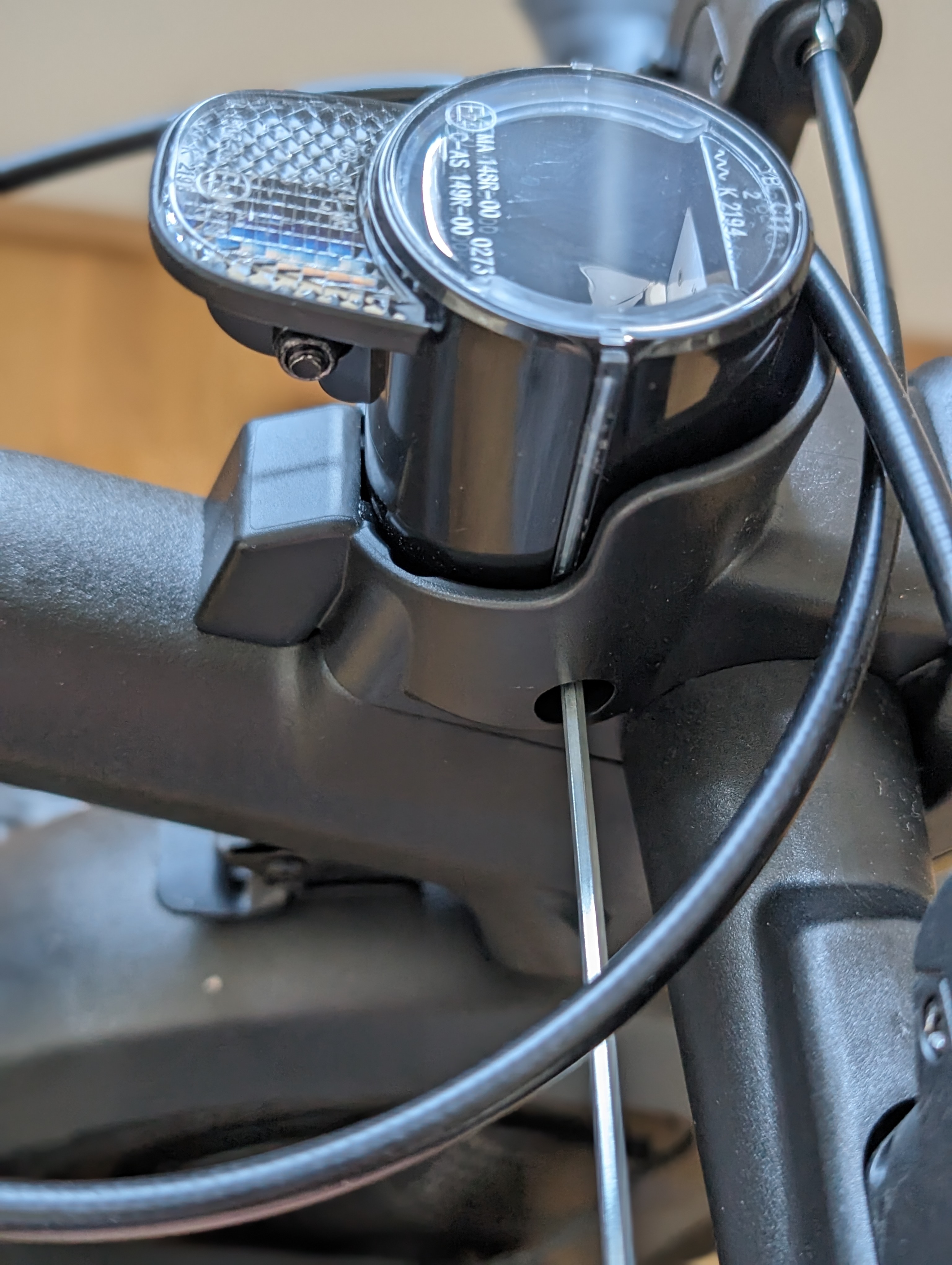
To change the light, first loosen the screw that holds the front light in place.
Pull the front light out of the cover
Next, you can pull the light forward out of the cover.
Work carefully to avoid stressing the cable unnecessarily.
Optional: Remove the light cover
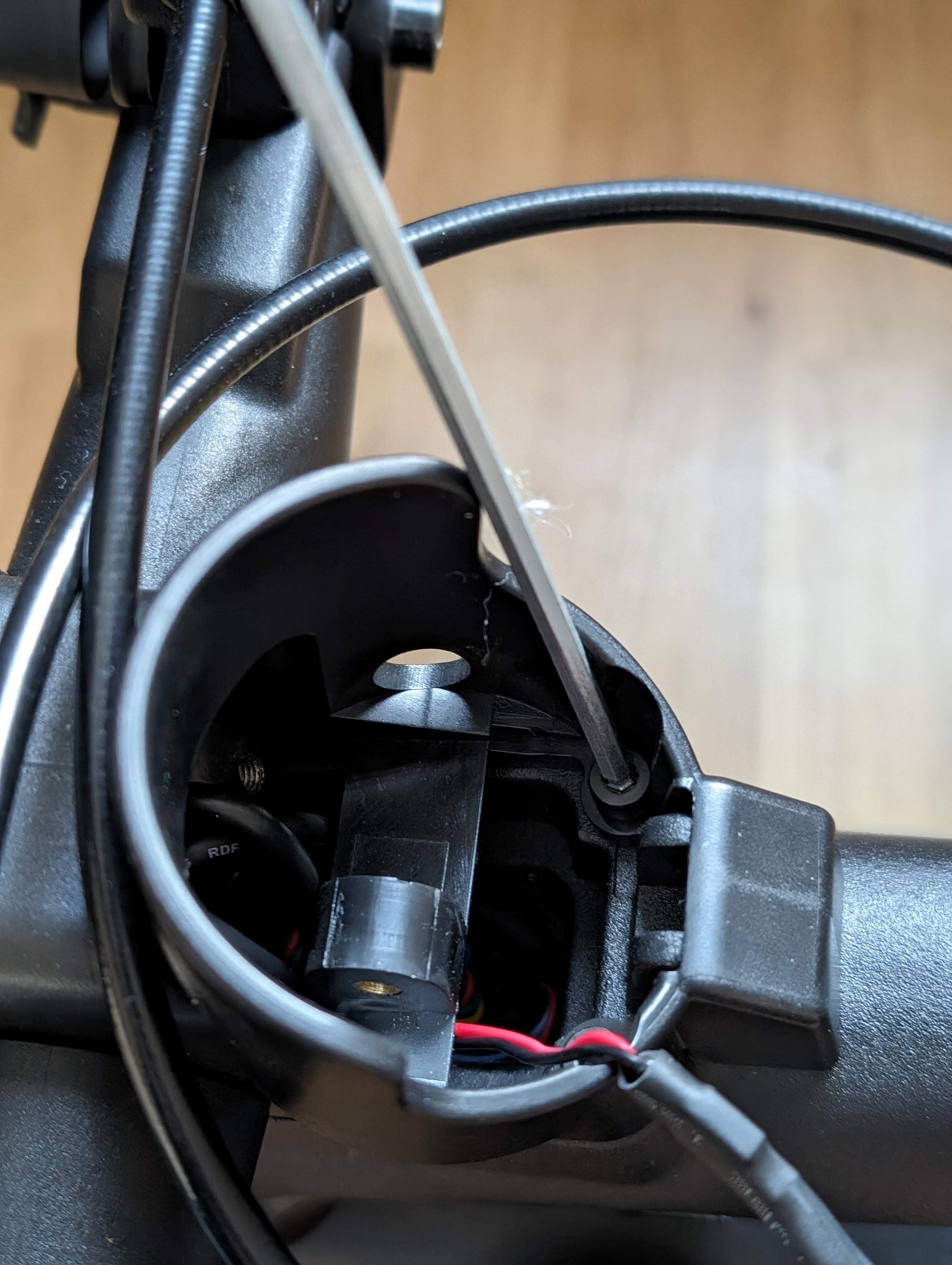
If the cable gets snagged, you can optionally remove the light cover.
Cut the heat shrink tubing and unplug the light
Now use a sharp object to cut open the heat shrink tubing. Be careful not to damage the cable.
Then, you can unplug the light. Before connecting a new light, slide the heat shrink tubing over the connector.
Connect and secure the new front light
Once the new light is plugged in, secure the heat shrink tubing with the heat gun or lighter.
Be careful not to overheat the heat shrink tubing so that the connector is not damaged. Then push the cable back into the handlebar and screw the light back in place.
Check the result
After reassembly, check whether the front light is correctly mounted and functioning properly. Pay special attention to the secure fit, clean cable routing, and light function.
Frequently Asked Questions
Here you will find answers to common questions about this repair.
Do I always need to remove the light cover?
No, only if the cable gets snagged when pulling out the front light. In many cases, it is sufficient to only loosen the mounting screw of the light.
What should I pay attention to when cutting the heat shrink tubing?
Be very careful when using a knife or scissors to avoid accidentally damaging the cable or insulation.
What to do if the new front light doesn't work after installation?
First, check the connection and whether the heat shrink tubing is properly applied without damaging the connector. Also, check if the cable has been routed back neatly.