






The VMAX E-SCOOTER app is available for all current iOS and Android smartphones. You can simply download it from the Appstore or Playstore .
The VMAX E-SCOOTER app is suitable for all VMAX models with TFT display. VMAX models with LED segment display are compatible with the VMAX CONNECT app instead.
Setting up
map material
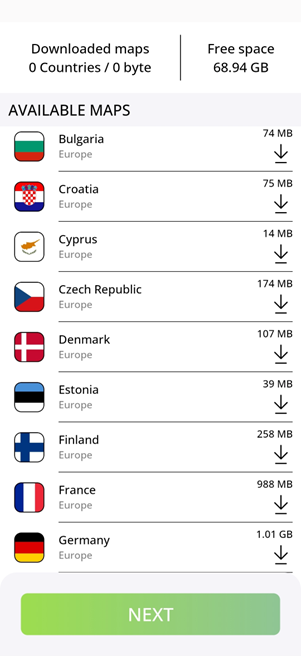
You can download the map material for your region or your next vacation directly in the app as required. The desired region is queried directly during the initial installation.
Bluetooth
permissions
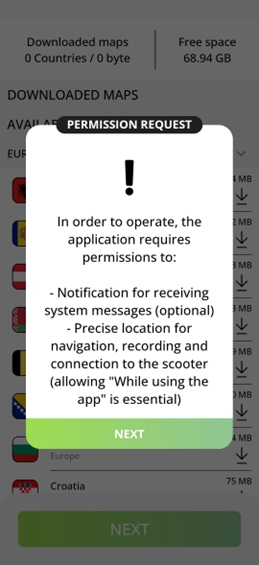
: To connect to your scooter, the app needs permission to access the Bluetooth module on your smartphone
Location: To navigate, the app needs access to your exact position
Personalization
The app can be adapted to your personal needs. You can choose between the metric and imperial system of units.
To calculate a realistic range, it is necessary to provide some personal details. For this we need
- Your gender
- Your weight
- Your height
- Your date of birth.
Connecting
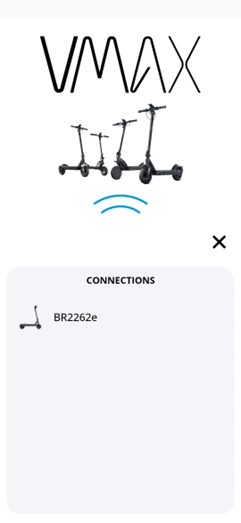
your scooter When you pair your scooter with your cell phone for the first time, the app recognizes the scooter's Bluetooth module.
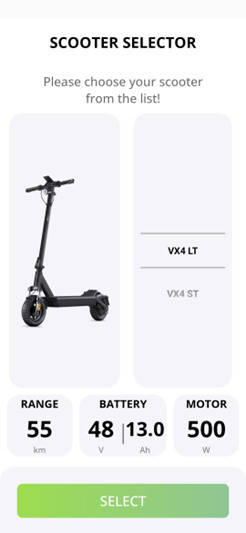
In the next step, you can select your model. Please make sure you select the correct model here, otherwise the display and range calculation will not be correct.
Navigation
In the main menu of the app, you can see your current location and lots of relevant information about the current status of your scooter, such as the range and charge level.
You can also see the range displayed on the map, taking into account your personal data as well as altitude information and road quality.
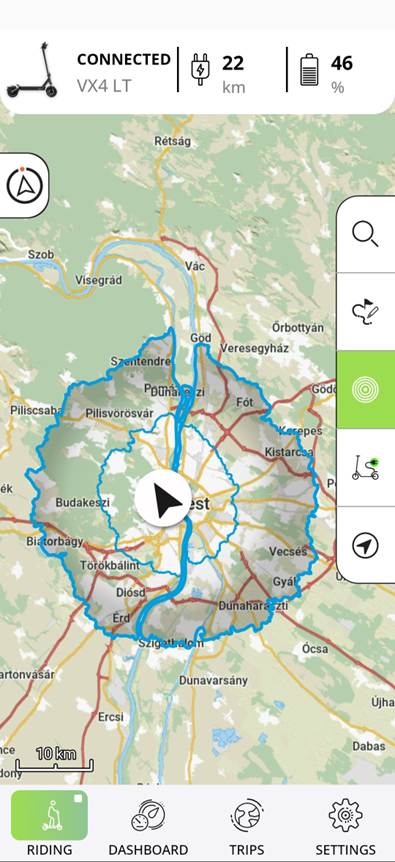
You can search for any address or POI in the main menu of your app and start navigation directly. Alternatively, you can also select a point directly on the map.
If the automatic recording of your route is deactivated, you can start it manually in the navigation area.
Settings
You can make various settings to customize the navigation experience to your needs. customize:
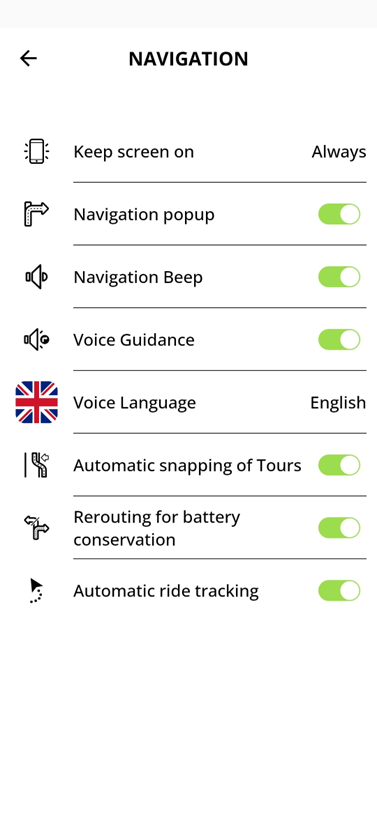
- You can leave your screen activated for the entire navigation or for the dashboard in order to be able to call up the information permanently. If you use turn-by-turn navigation on the display of your scooter, you can also switch off the display automatically after a while to save battery power.
- Navigation display: If required, you can display pop-ups that show the upcoming instructions
- To make sure you don't miss any instructions, your smartphone can alert you to upcoming instructions with a signal tone
- If necessary, the app can also read out all instructions
- You can select the language for the announcements separately from the display language
- If you import a GPX track, you can either be navigated directly on the track. Alternatively, the app can also place the track on the stored road network.
- If the remaining range drops unexpectedly quickly during the tour, the app can automatically recalculate the route if required
- You can choose whether you want to record all tours or only certain tours
Draw and Plan
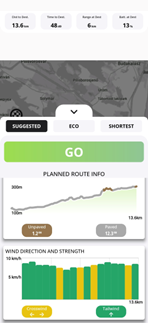
If you don't want to find the fastest route to your destination, but have a specific route in mind, you can record it on your phone using the "Draw and Plan" function.
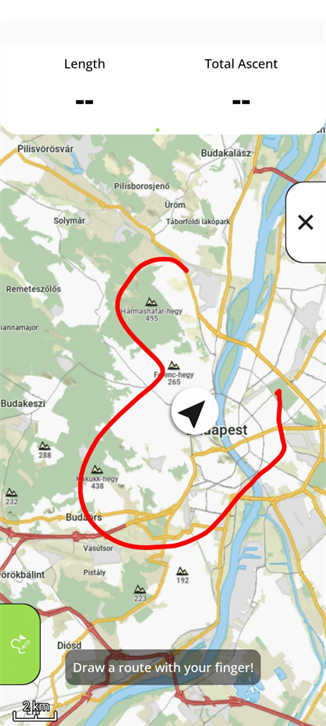 The app then searches for accessible routes on your tour.
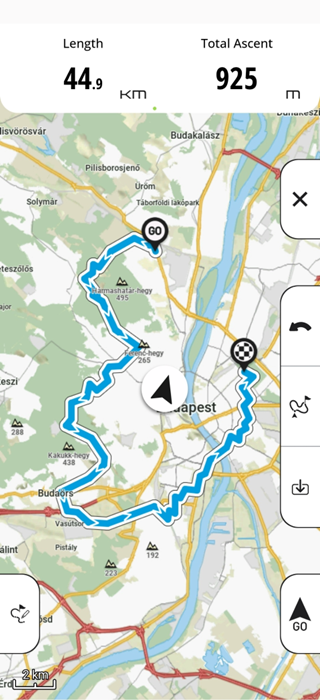
Before you start your tour, you can view all the information about your tour and find the best tour for you
Dashboard
You will also find a fully customizable dashboard in your app.
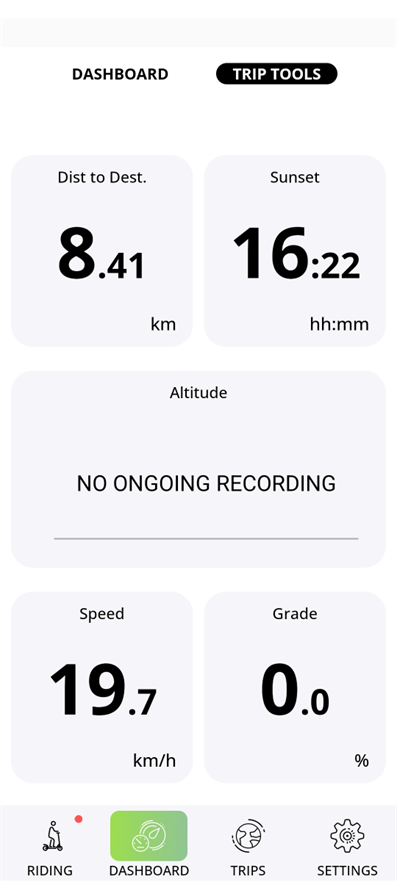 Here you can view a wide range of information about your current tour and your scooter: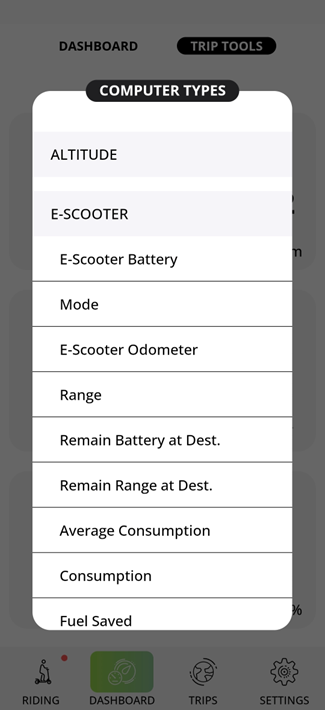
History
In the app's history, you can find your recorded trips or your imported tours.
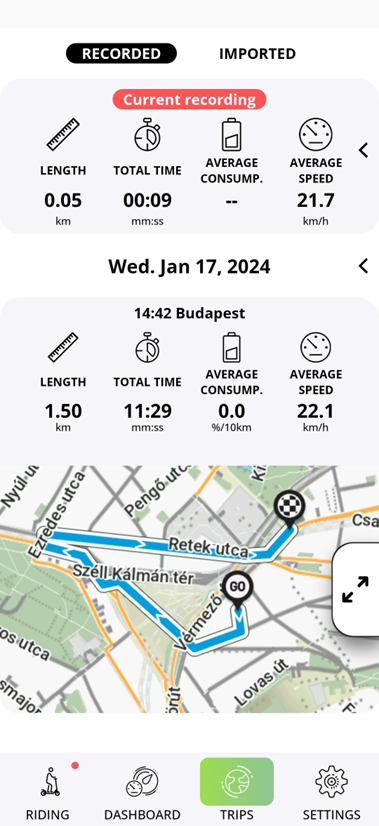
After selecting a tour, you can choose whether you want to ride to the start of the tour or to the nearest point on the route.
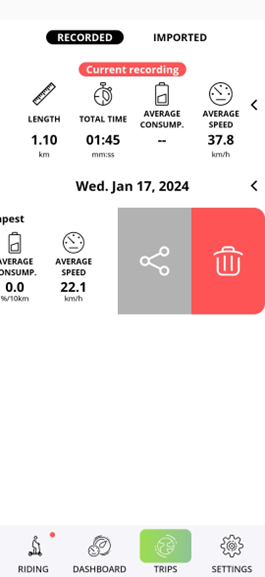
You can easily share your recorded tracks via the app. You can also easily import tours as GPX tracks from your phone's internal memory.