






In this step-by-step guide, we will show you how to replace the rear light and mudguard on your VMAX VX4 e-scooter yourself.
Tools required
- Allen key 2.5 mm
- Allen key 3 mm
- Cross-recess screwdriver, small
- Large Phillips screwdriver
Instructions
Remove the motor cover
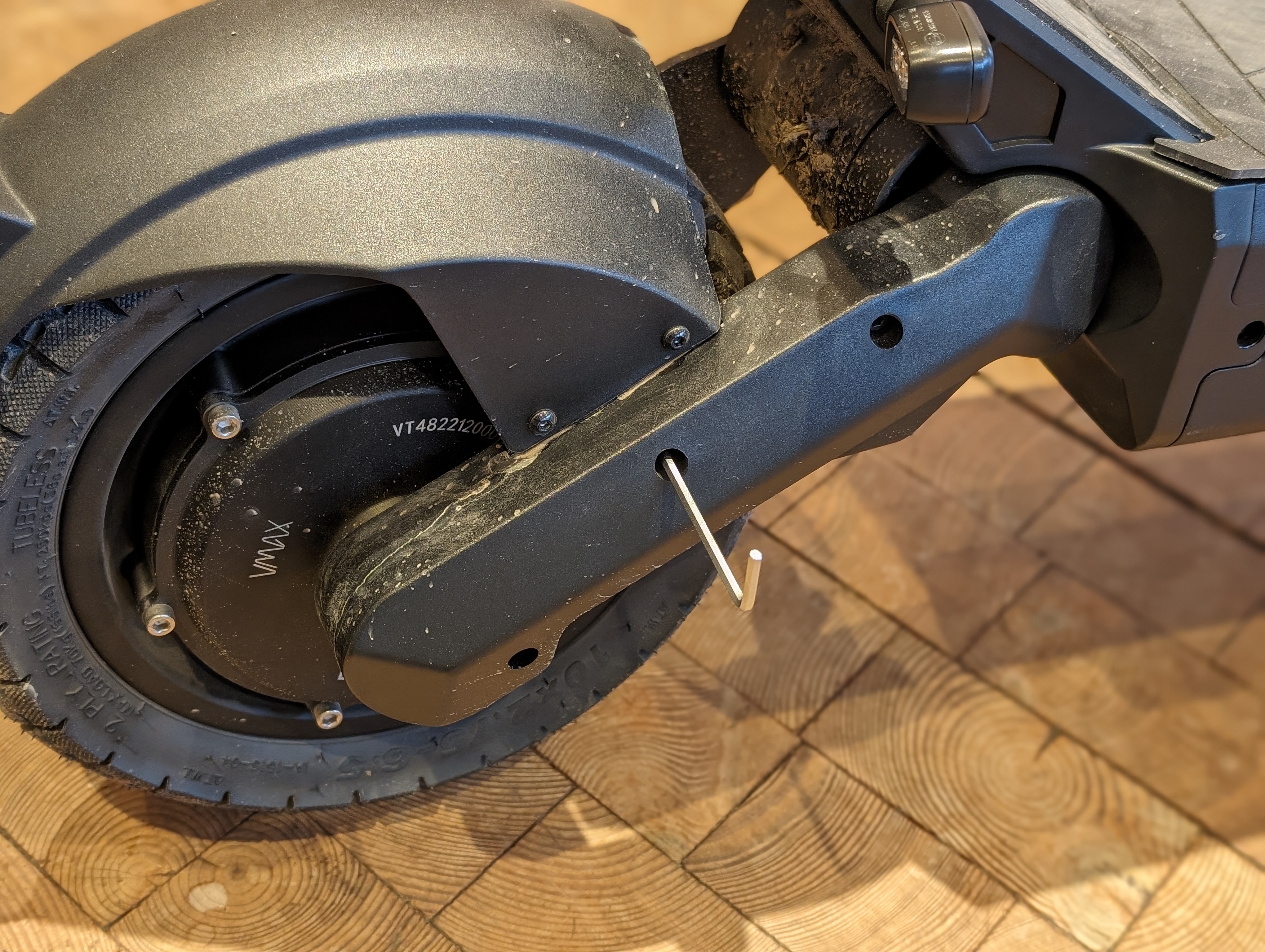
First remove the right-hand motor cover to gain access to the rear light cable.
To do this, loosen the three screws and carefully pull off the cover without damaging the cable.
Removing the engine cover
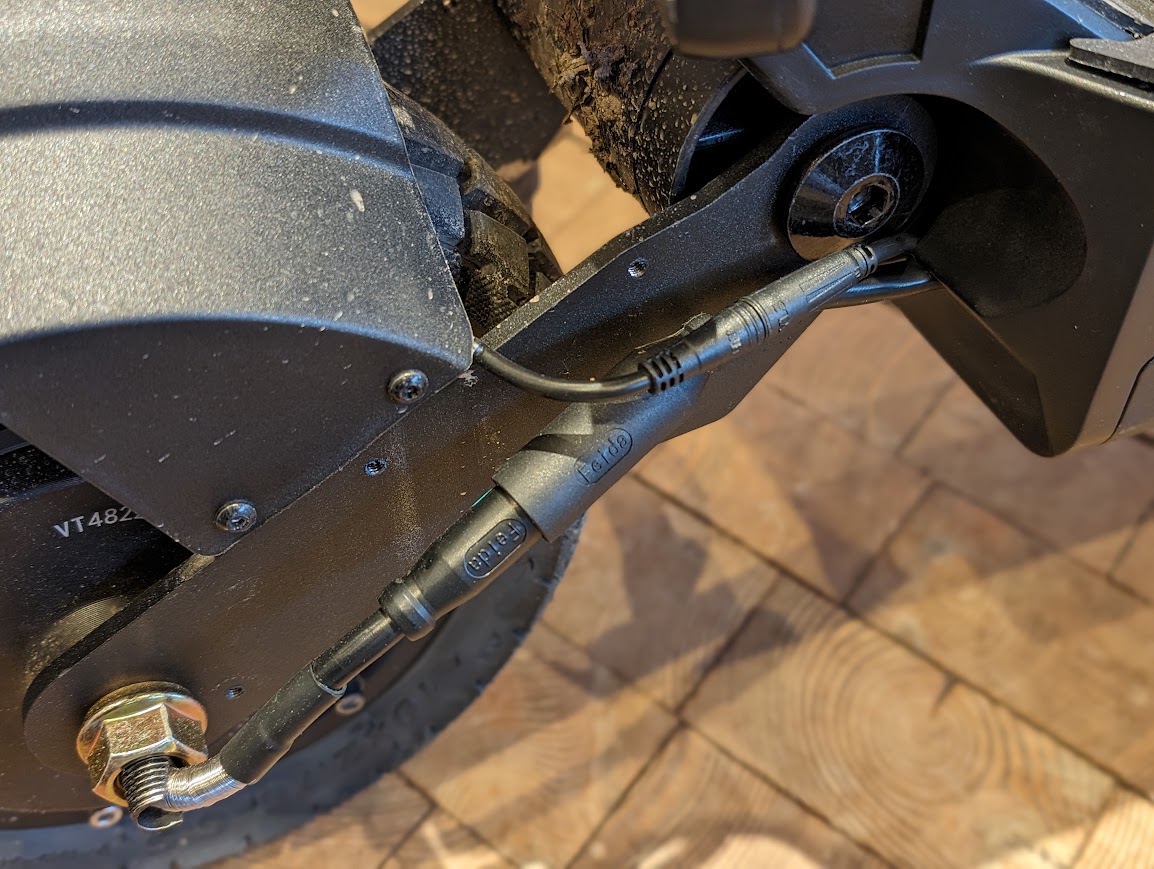
Pull the cover off completely so that you can reach the wiring of the rear light.
Loosen the mudguard
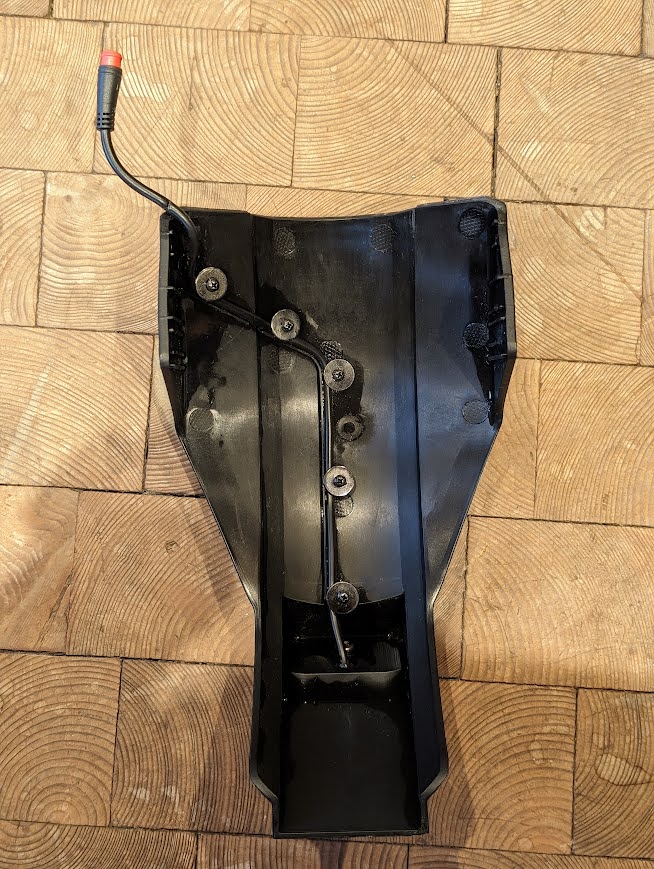
The mudguard is attached with two screws on the left and right. Loosen these to remove the mudguard including the rear light.
Disconnecting and removing the rear light
Disconnect the plug connection of the rear light and then remove the rear light from the mudguard.
Fitting new parts
Insert the new rear light or mudguard and reconnect the plug connection.
Then refit the mudguard and the motor cover.
When reassembling, take particular care not to crush the cable.
Check the result
After assembly, check that the rear light is working correctly and that the mudguard is securely attached. Also check that no cables are visible or trapped.
Frequently asked questions
Here you will find answers to frequently asked questions about this repair.
Do I really have to remove the engine cover?
Yes, according to the instructions, you have to remove the engine cover to access the tail light connector.
What happens if a cable is pinched?
Pinched cables can be damaged and lead to malfunctions. Therefore, pay particular attention to this during assembly.
What do I do if the rear light does not work after installation?
First check the plug connection and the fit of the cable. If the problem persists, the electronics should be checked more closely.