






In this step-by-step guide, we will show you how to replace the rear blinker on your VMAX VX4 e-scooter yourself.
Tools required
- Allen set
- Open-end wrench
- Optional: Spray adhesive
- Optional: Hot air dryer
- Optional: medium-strength threadlocker
Instructions
Removing the rear rubber mat
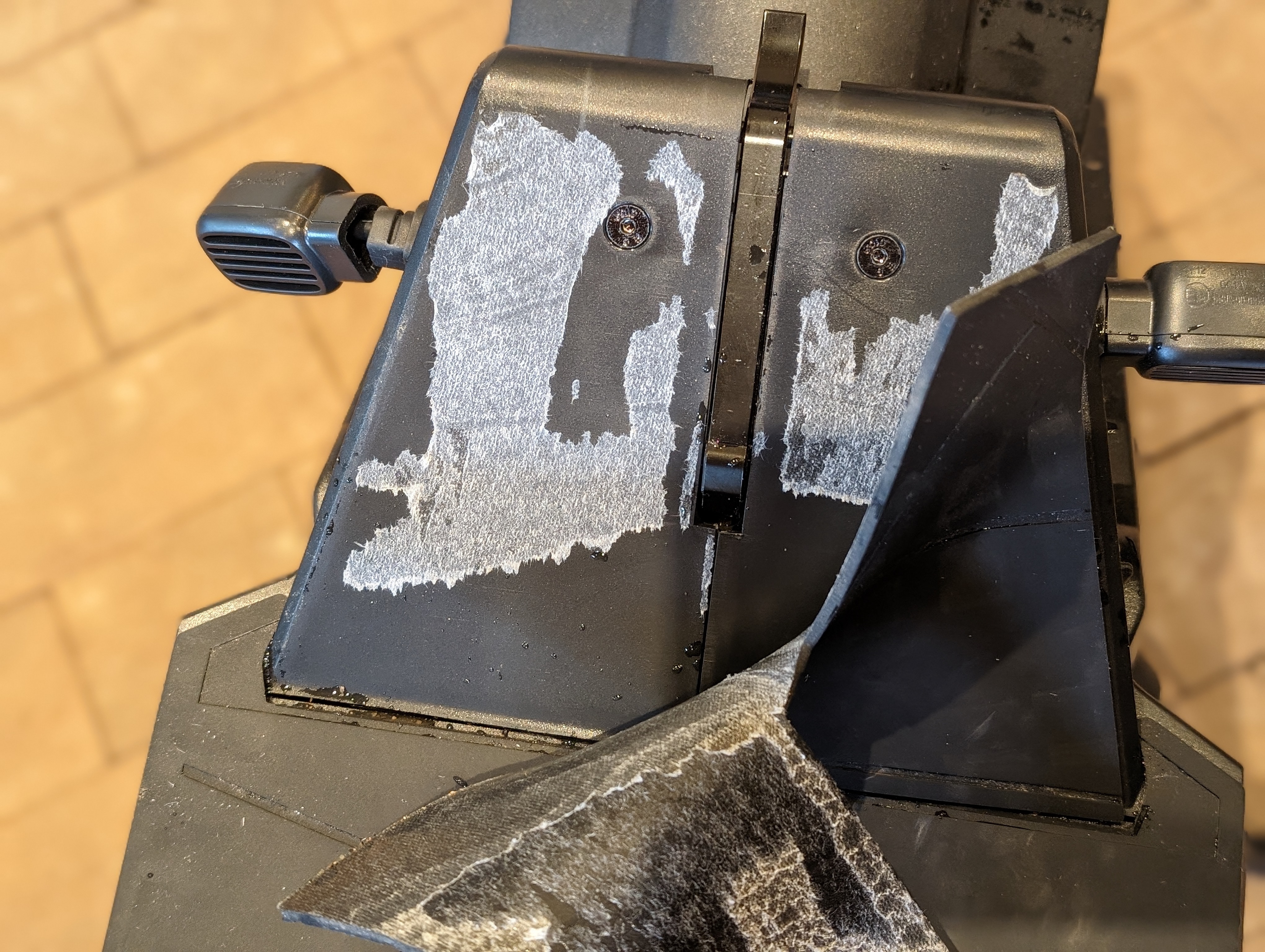
To remove the rear blinker, the first step is to pull off the small rubber mat at the rear of the footboard.
Loosen the side trim panel
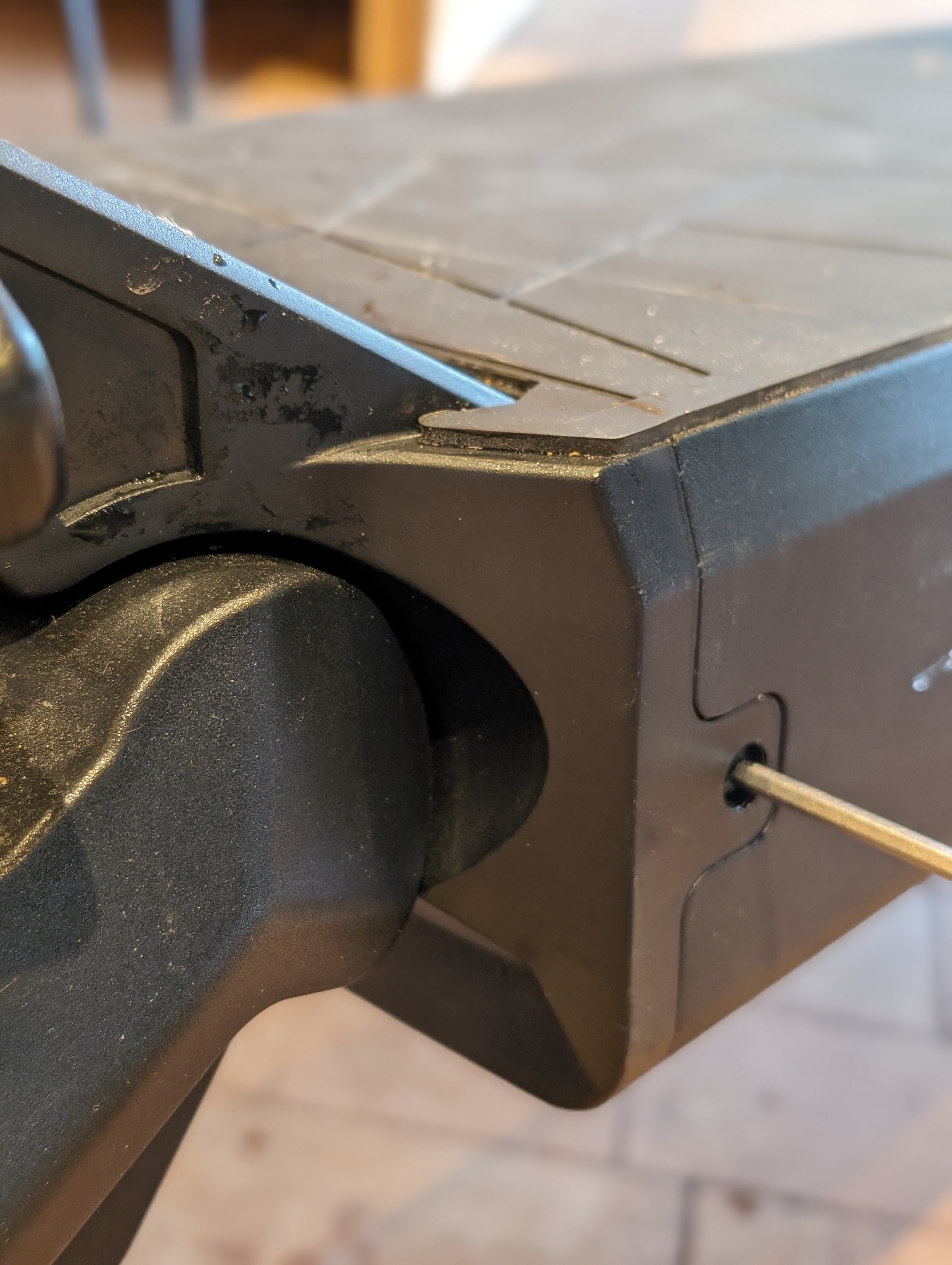
You can then loosen the trim on the corresponding side.
The fairing is bolted in three places.
Remove the screw connections of the trim panel
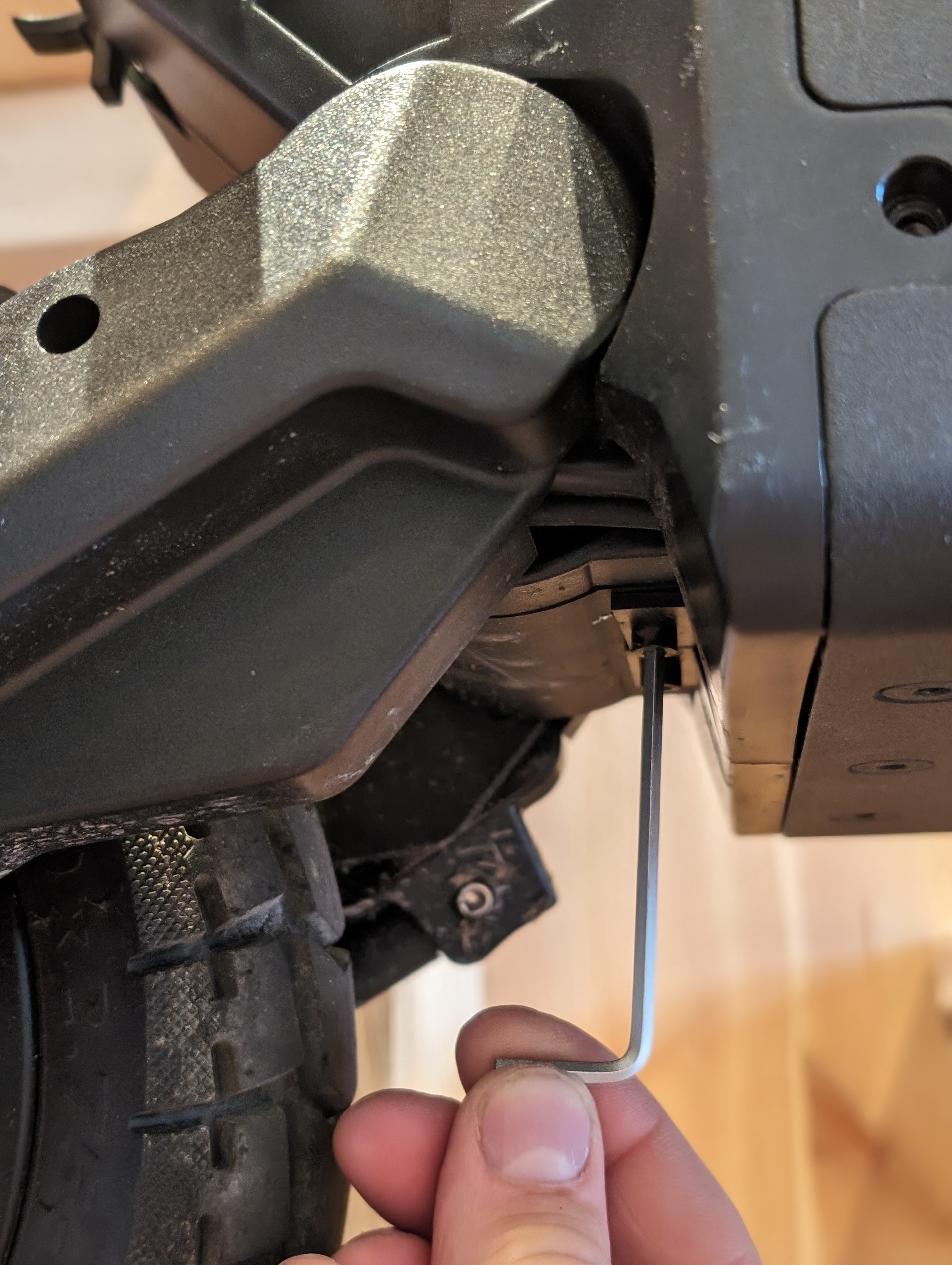
Completely loosen the visible screws on the side trim panel to gain access to the blinker.
Unplug and remove the blinker
Now you can unplug the blinker and then remove it.
To make it easier to loosen the glued nut, you can carefully heat it with a hot air gun.
Fit the new blinker and reattach the fairing
Fit the new blinker, reconnect the plug and then reattach the fairing.
If necessary, you can optionally use medium-strength threadlocker. Finally, refit the rubber mat at the rear of the footboard.
Check the result
After reassembly, check that the rear blinker is correctly attached and working properly. Check especially the tight fit of the fairing and the clean cable routing.
Frequently asked questions
Here you will find answers to frequently asked questions about this repair.
Why does the rear rubber mat need to be removed?
The rubber mat must be removed so that you can access the fairing and the attachment points underneath.
Why does a hot air dryer help with this repair?
A little heat makes it easier to loosen the glued nut. Only heat the area carefully.
What do I do if the new blinker does not work after installation?
First check the plug connection and make sure that the cable is properly connected. If the problem persists, the wiring should be checked more closely.