






In this guide, we will show you step by step how to replace or remove the motor on your VMAX e-scooter VX2 Extreme.
Required Tools
- 21 mm Wrench
- 2.5 mm Allen Key
- 3 mm Allen Key
- Phillips Screwdriver
- Optional: Spray Adhesive or Hot Glue
- Optional: Thread (approx. 2 m)
Instructions
Loosen Front Rubber Mat
Remove the front centimeters of the rubber mat on your footboard to gain access to the maintenance flap.
Carefully loosen the mat to prevent damage, so it can be reattached cleanly later.
Open Maintenance Flap at the Front
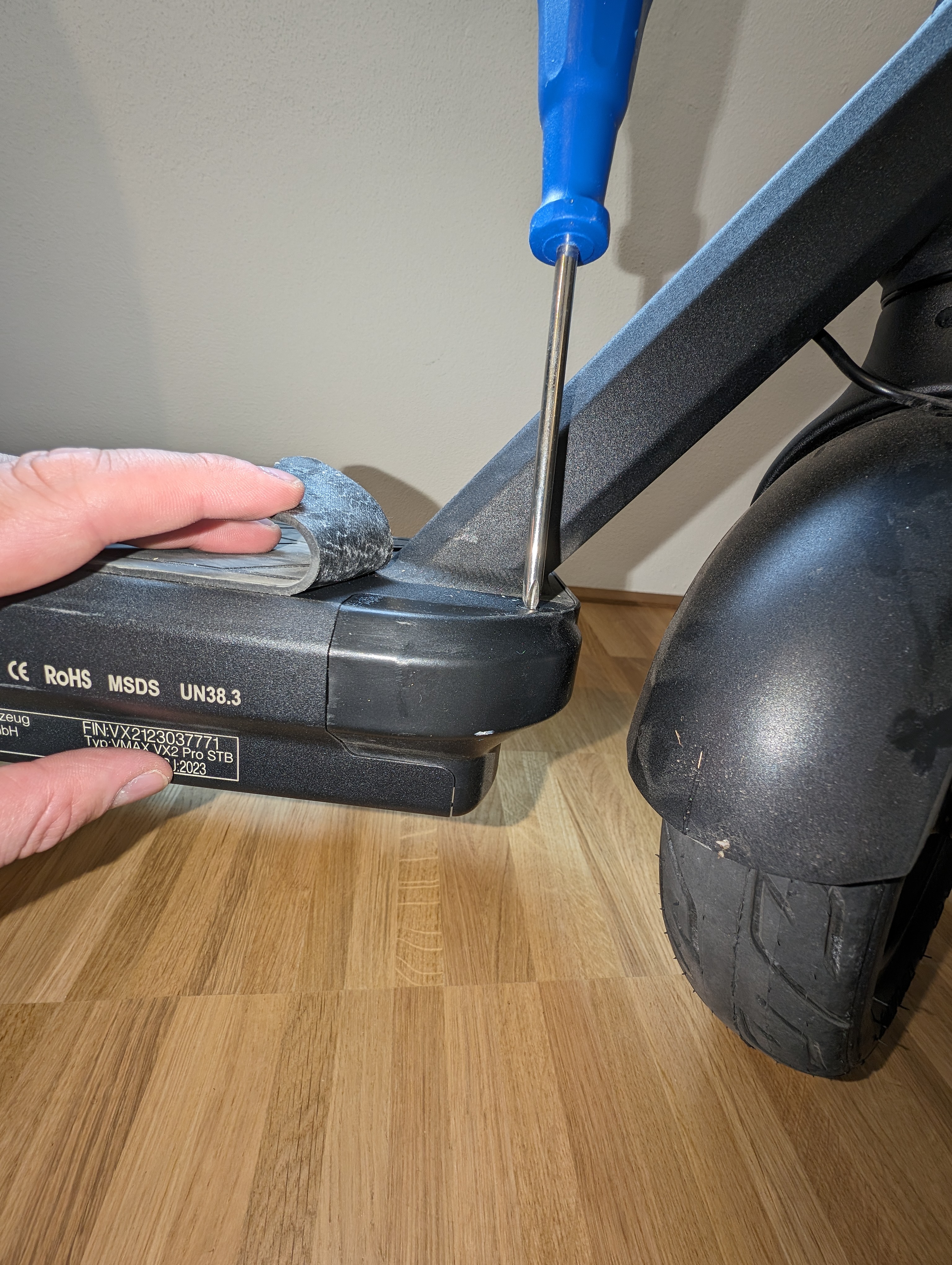
Remove the maintenance flap at the front. To do this, unscrew two screws from the top and two from the bottom of the footboard.
Disconnect Motor Cables
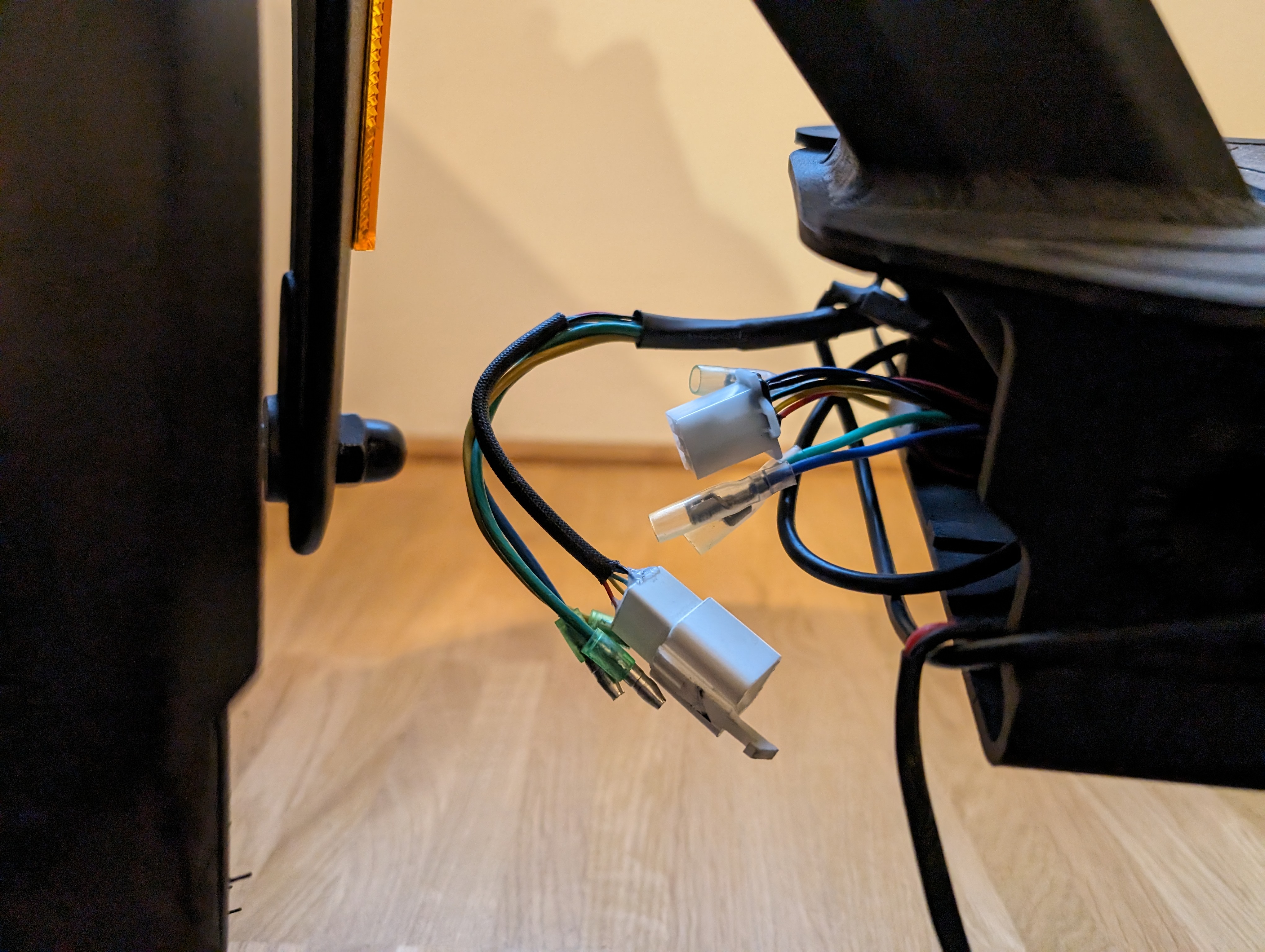
Disconnect the four cables leading to the motor.
Attach Thread to Motor Cable
Attach a thread to the motor cable.
This thread will help you later to pull the cable back through the cable channel more easily.
Remove Motor Covers
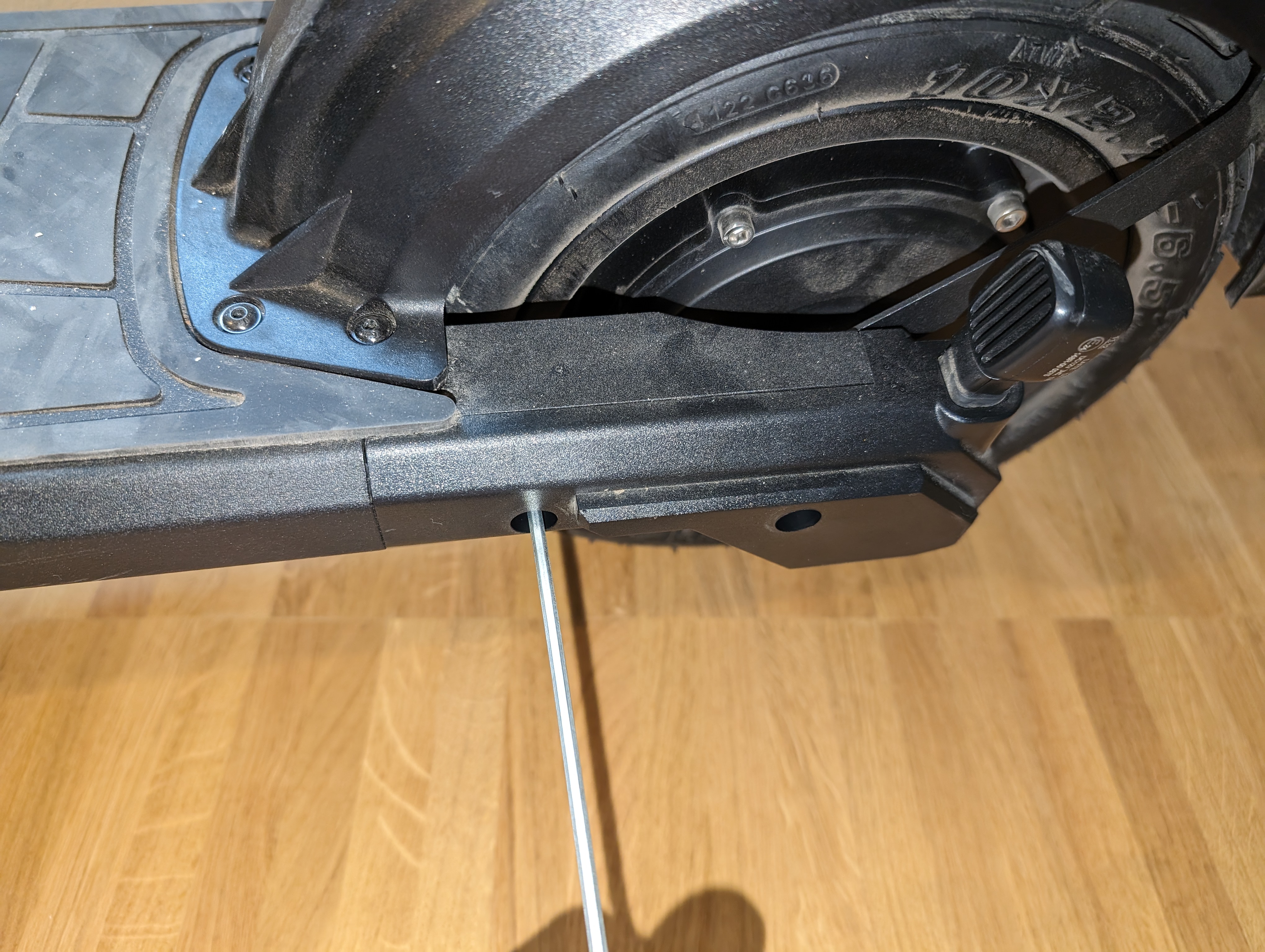
Remove the motor covers on the left and right sides.
Loosen Motor Shaft and Mounting Plates
Loosen the motor shaft and the mounting plates.
Be careful that the motor does not fall out uncontrollably. Hold it firmly and remove it carefully.
Check Result
After reassembling, check that all affected parts are correctly mounted and functioning perfectly. Pay special attention to the secure fit of the motor, correct cable routing, and secure connections.
Frequently Asked Questions
Here you will find answers to frequently asked questions about removing the motor from the VMAX VX2 PRO.
What do I need the thread on the motor cable for?
The thread serves as an aid to pull the motor cable back through the cable channel more easily during reinstallation. Without this aid, threading can be significantly more tedious.
Do I need to disconnect all four cables completely?
Yes, to fully remove the motor, the cables leading to the motor need to be disconnected. Be sure to carefully disconnect the connections and reconnect them correctly later.
Can I just change the cover on the motor?
Yes, according to the original instructions, you can either replace the entire motor or just the cover mounted on the motor. Removing the motor is the foundation for this.